Calls answered.
Work organized.
MK Dispatch gives your service business a receptionist, a call inbox and a clear next step for every request.

Built for the work
after the call.
A message in voicemail still needs someone to listen, write down the address and decide what happens next. MK Dispatch puts those details into a request your team can use.
See the whole call flow.
From intake to the next step, in one connected workspace.
The details, ready to act on.
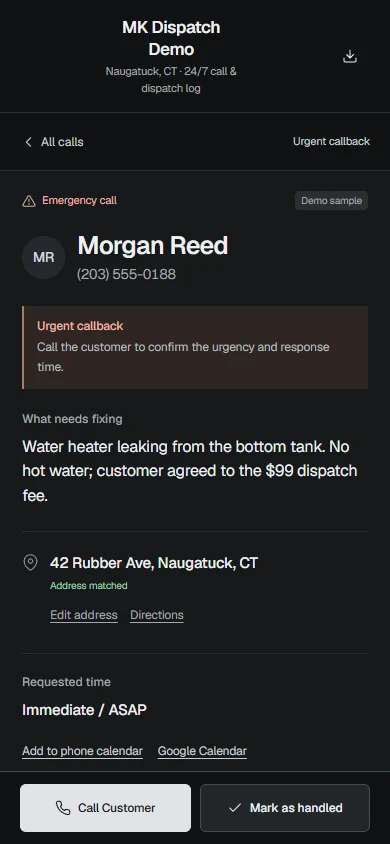
See who called, what needs fixing and what was agreed. Call the customer, open directions or mark the request handled.
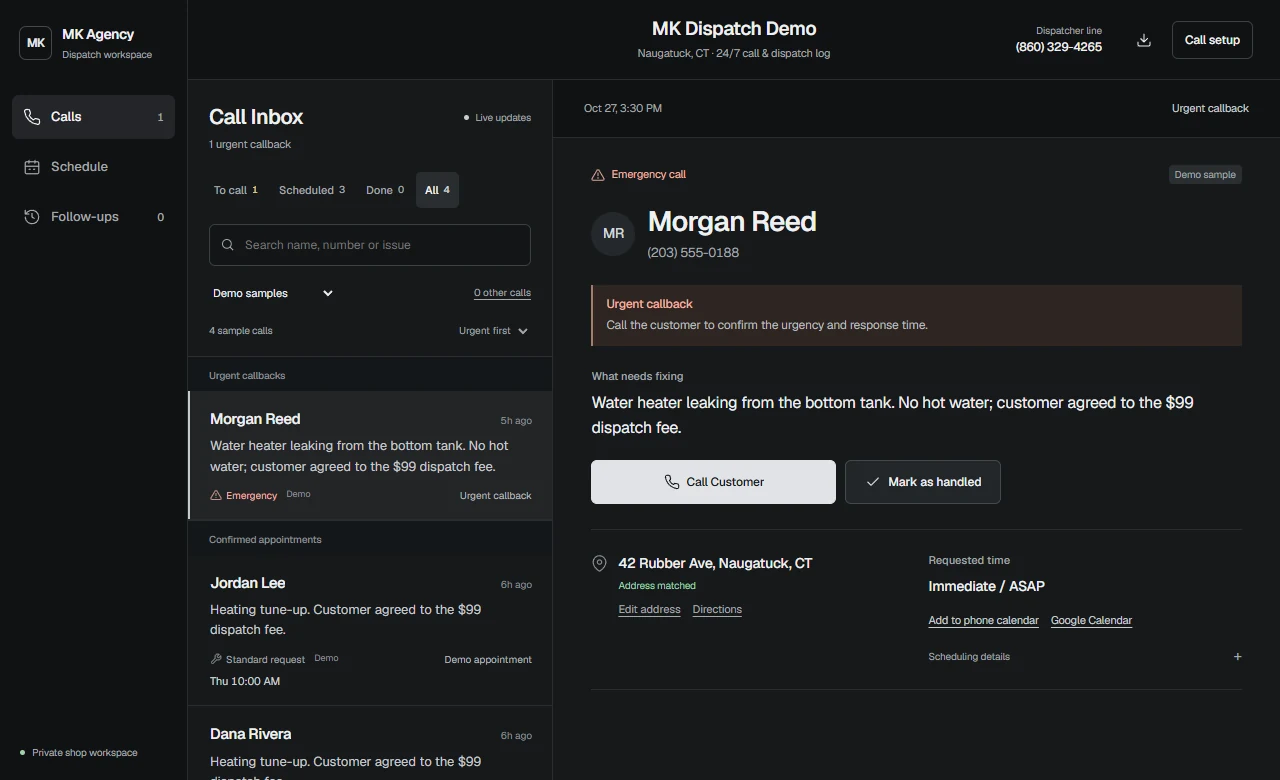
A clear next step after the call.
Sarah collects the callback number, service address, issue and requested time using the intake rules you approve.
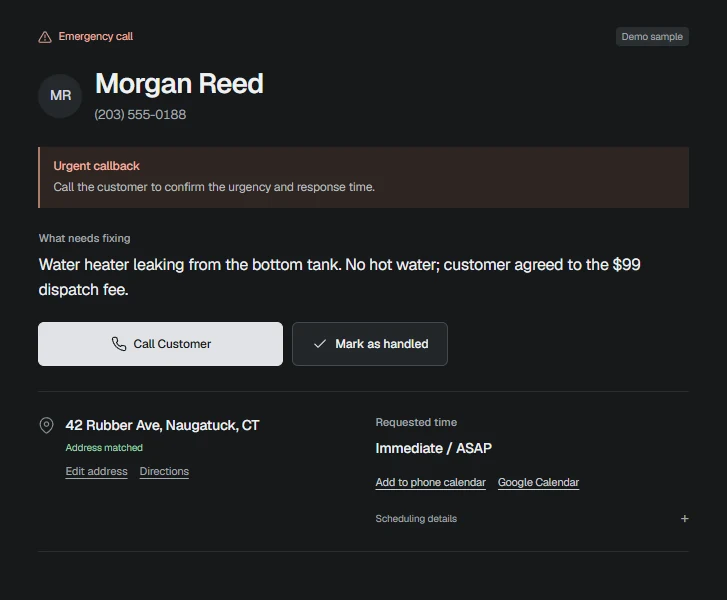
Requested is different from booked.
Requested windows stay separate from confirmed appointments. Booking and agreed changes use the connected calendar and its availability.
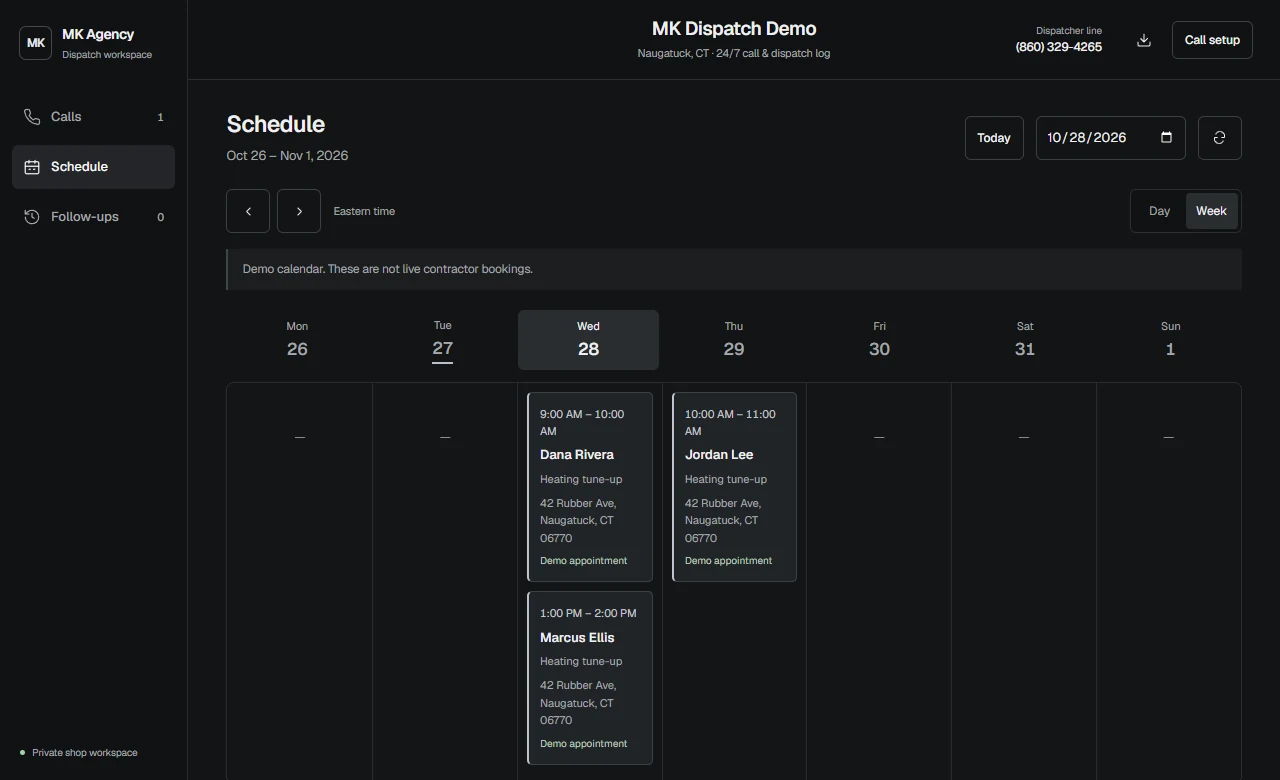
The request reaches your team.
Configured email alerts include calling, maps and calendar links. Optional operator SMS remains off pending carrier verification and delivery testing.
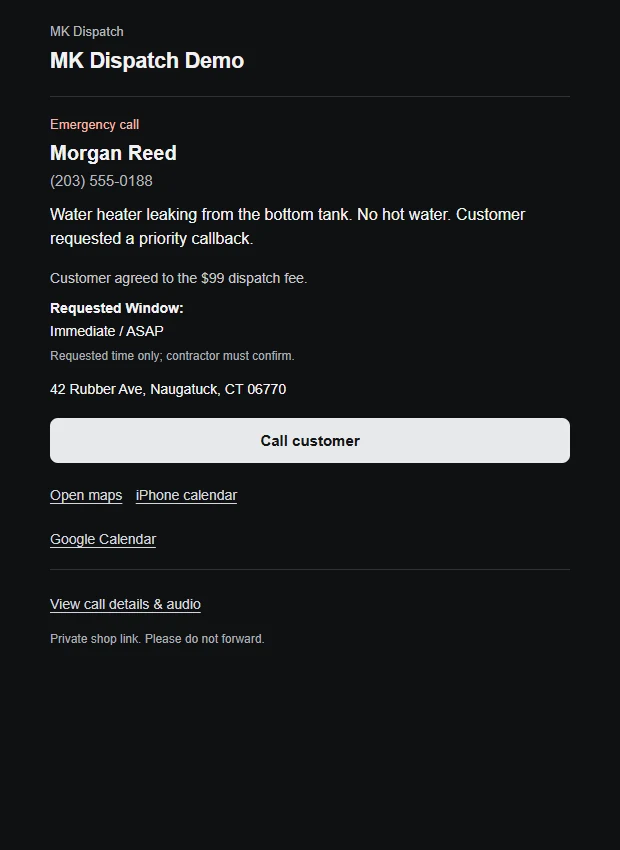
A call log
you can act on.
The customer, the issue and the address. Ready when you put the tools down.
- Call back from your phone.
- Open the service address in maps.
- Review the requested time or confirmed booking.
- Mark a request handled, with undo.
A schedule you can trust.
A requested window is a request. Confirmed bookings follow the connected calendar. Your team can see the difference.
Your business.
Your call-handling rules.
MK Agency configures the service around the way your team actually works.
- Choose the coverage
- After-hours, overflow or full reception.
- Approve the intake
- Services, fees, hours, coverage and escalation.
- Rehearse the handoff
- Check the call, appointment and notification flow before activation.
Before we get started.
Questions about coverage, bookings and notifications.
Can it cover all calls or just missed calls?
Coverage can be configured for after-hours calls, overflow or full reception. The business approves its services, fee policies and escalation rules before activation.
Does a requested time mean an appointment is booked?
No. The portal distinguishes a requested window from a confirmed booking. Booking is enabled against an approved, connected calendar and actual availability.
Can Sarah quote a repair price?
Sarah can communicate the fees and service pricing the owner has approved. She does not independently diagnose a repair or invent binding quotes.
Do I have to keep checking the portal?
Configured email and approved notification channels can bring service requests to your team. The portal keeps the call details, recordings where enabled, and next steps in one place.
Is SMS available now?
Operator SMS is awaiting carrier verification and real delivery testing. Sending is disabled. Consent is optional and recorded separately; see the SMS program, privacy policy and terms for the scope. SMS program · Privacy · Terms
See your call flow.
Tell us how your calls are handled today. We will walk through what MK Dispatch could do for your business.
Arrange a demo hello@mkserviceops.com